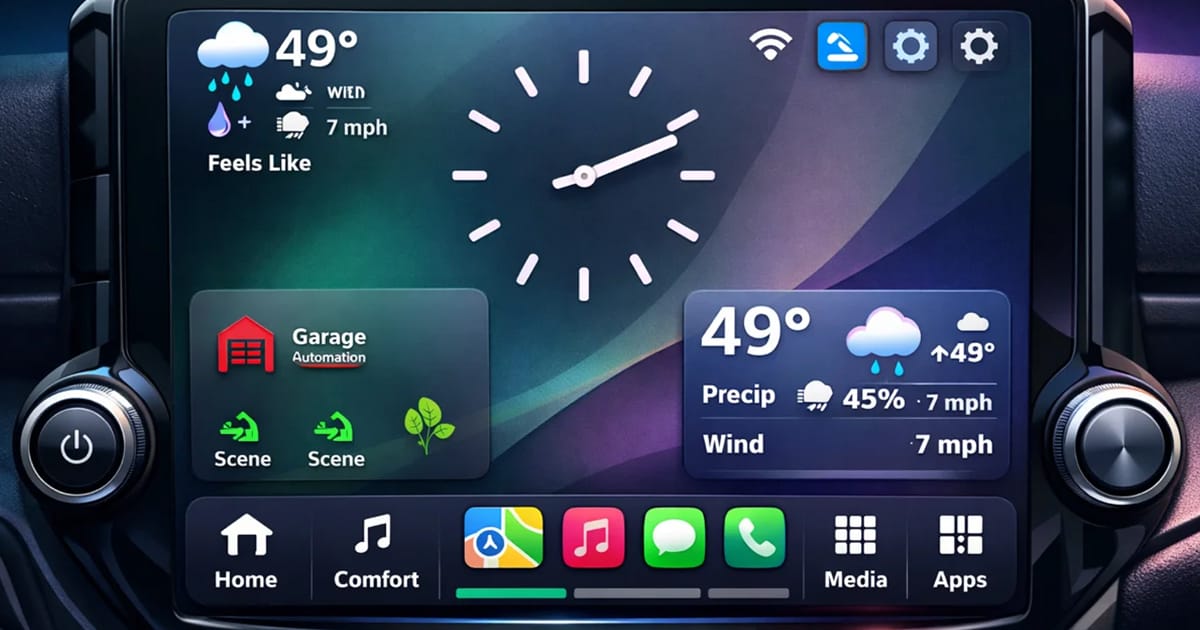
Apple CarPlay widgets give drivers faster access to the most useful information on the dashboard by presenting navigation updates, communication tools, scheduling information and media controls in a simplified, glanceable format.
Instead of opening and closing different apps while driving, widgets place key information directly on the CarPlay dashboard. Drivers can quickly see navigation directions, upcoming calendar events or current media playback without switching screens. This design reduces the number of steps required to access common features.
The idea behind widgets is simple: surface the most relevant information at the moment the driver needs it. Rather than requiring the driver to search through menus, the interface highlights navigation instructions during a trip, recent messages when communication is active or music controls when audio playback is the priority.
This streamlined layout turns the infotainment display into a quick reference panel. Drivers gain immediate awareness of what matters most while keeping interaction with the screen brief and purposeful.
Why CarPlay Widgets Can Reduce Distraction
CarPlay widgets can reduce distraction by minimizing the number of taps, menu changes and app launches required to access useful information while driving.
Modern vehicle interface design focuses heavily on reducing cognitive load. The more steps required to find information, the longer a driver’s attention shifts away from the road. Widgets address this problem by presenting relevant details directly on the dashboard screen.
For example, a driver navigating across town can view turn-by-turn guidance while still seeing music controls and a calendar reminder on the same screen. Instead of leaving the navigation app to check another function, the system displays multiple pieces of information at once.
Voice control further enhances this experience. Drivers can reply to a message, start navigation or request information without manually interacting with the display. When widgets work together with voice commands, the overall experience becomes faster and more intuitive.
The result is an interface that prioritizes quick visibility and limited interaction. Drivers spend less time searching through apps and more time focusing on the road ahead.
How Widgets Improve Daily Driving Efficiency
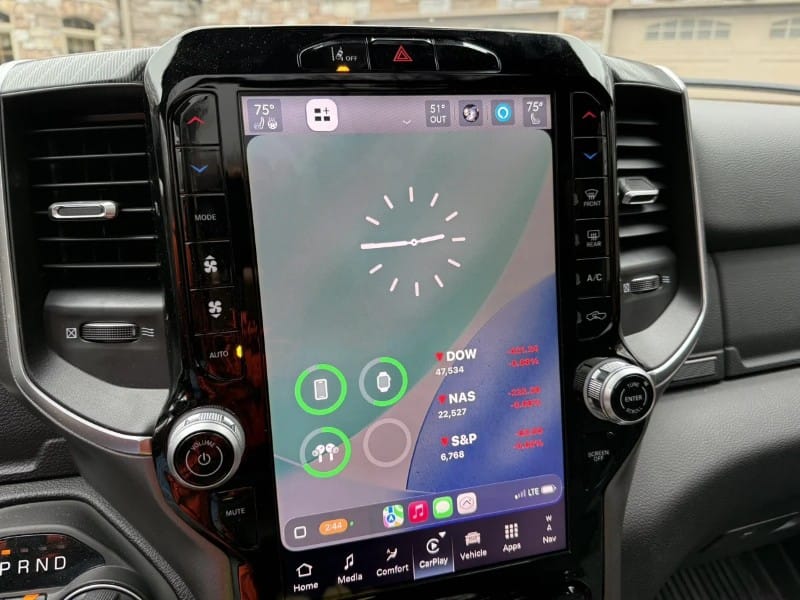
CarPlay widgets improve efficiency by organizing commonly used tools into a single dashboard view that helps drivers manage navigation, communication and schedules more easily during busy days.
Many drivers rely on their vehicles as mobile command centers. Commuting, running errands and traveling between meetings often require constant coordination with navigation apps, messaging platforms and scheduling tools. Widgets simplify these interactions by placing essential information within immediate reach.
For example, a calendar widget can show the next appointment along with the location tied to that event. If the meeting includes an address, navigation can begin with a single tap or voice command. Traffic-aware navigation systems may also suggest the best time to leave in order to arrive on schedule.
Widgets can also provide reminders tied to specific locations. A driver might see a reminder to pick up groceries when approaching a store or receive an alert about fuel prices while traveling near a service station.
The most useful CarPlay widgets often include information such as:
- Upcoming calendar events with navigation shortcuts
- Navigation updates and traffic alerts
- Quick access to messaging conversations
- Media playback and podcast controls
- Reminder notifications tied to time or location
By presenting these tools together on one screen, widgets reduce the time drivers spend switching between apps. This improves efficiency and makes everyday driving feel more organized.
How Calendar and Schedule Widgets Support Better Time Management
Calendar and schedule widgets help drivers stay organized by displaying upcoming appointments, meeting locations and travel timing in a format that supports better time management while on the road.
Many professionals rely on digital calendars to coordinate their day. When those schedules appear directly on the vehicle’s infotainment display, the car becomes part of the productivity workflow.
A driver heading to work may see the next scheduled meeting automatically appear in a calendar widget. If the meeting includes a location, navigation can launch immediately. This removes the need to search through contacts or email messages for an address.
Travel time awareness also becomes easier to manage. Navigation services can monitor traffic conditions and suggest when it may be necessary to leave early to stay on schedule. These alerts help drivers plan their trips more effectively.
By integrating scheduling tools into the dashboard, CarPlay widgets allow drivers to stay aware of their commitments without constantly reaching for their smartphones.
Smart Home and Security Controls from the Dashboard
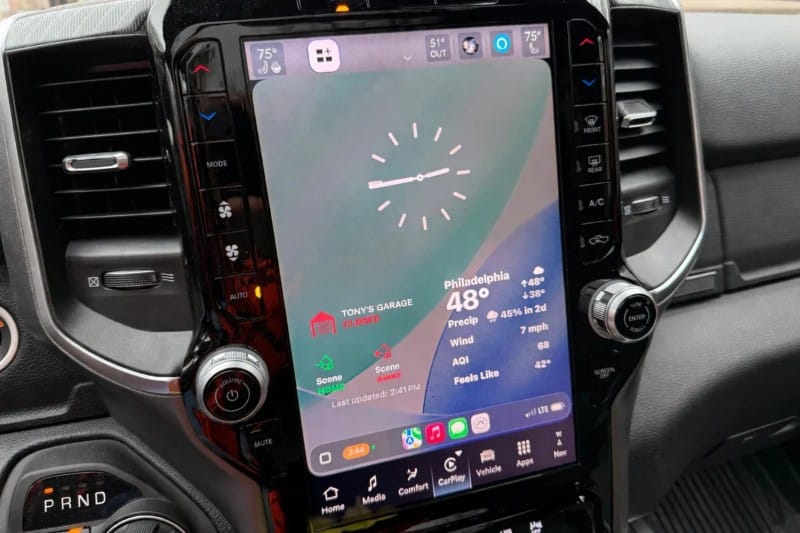
Smart home and security integration expands the usefulness of CarPlay widgets by allowing drivers to interact with connected home devices directly from the vehicle’s display.
Many households now rely on connected technologies such as garage door controllers, security systems, lighting scenes and smart thermostats. When these devices connect with smartphone apps, their status can sometimes appear through CarPlay-compatible widgets.
For example, a driver leaving home might glance at the dashboard to confirm the alarm system is armed. Later in the day, the same interface could allow the driver to open the garage door while approaching the driveway.
This type of integration turns the vehicle into another control point within a connected home environment. The dashboard becomes a place where drivers can quickly confirm the status of key devices without opening separate apps on their phones.
The result is a more connected lifestyle in which home technology, smartphones and vehicles work together in a consistent digital ecosystem.
How AI Voice Tools Could Expand the Value of CarPlay
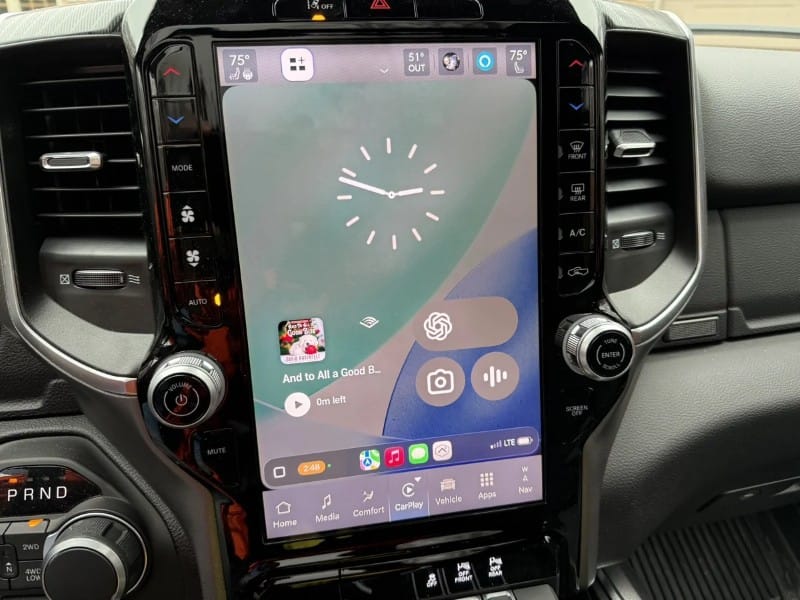
AI voice tools have the potential to expand the usefulness of CarPlay by allowing drivers to interact with information through natural conversation instead of manual screen interaction.
Voice assistants already help drivers send messages, start navigation and control music playback. As AI technology evolves, these assistants may become more capable of answering questions, summarizing information or organizing tasks while driving.
For instance, a driver might ask an AI assistant to review the details of the next meeting, create a reminder for a stop on the way home or summarize recent messages. These interactions could occur through voice alone, allowing drivers to keep their hands on the wheel.
Conversational AI tools such as voice-based digital assistants or services like ChatGPT’s voice capabilities demonstrate how natural language interaction may become a central part of future vehicle interfaces.
When paired with glanceable widgets on the screen, voice interaction can create a system that provides useful information quickly while minimizing the need for manual input.
Why Media Widgets Matter Beyond Entertainment
Media widgets simplify access to music, podcasts and streaming audio by displaying recently played content and playback controls directly on the CarPlay dashboard.
Many drivers spend significant time listening to audio content during commutes and road trips. Without widgets, switching between playlists, podcast episodes or audio sources often requires navigating through multiple screens.
Media widgets solve this problem by placing playback controls and content suggestions on the main dashboard view. Drivers can resume recently played audio or skip to the next episode of a podcast with minimal interaction.
This approach also supports safer operation. When the most common audio controls appear on the primary screen, drivers spend less time navigating menus and more time keeping their attention on the road.
Why the Vehicle Display and System Design Affect Widget Usability
The quality of the infotainment display, touchscreen responsiveness and smartphone connectivity all influence how helpful CarPlay widgets feel during everyday driving.
Larger displays can show multiple widgets simultaneously, making it easier to see navigation instructions, calendar reminders and media controls at the same time. A responsive touchscreen also improves usability because drivers can interact quickly without repeated taps.
Wireless smartphone connectivity can further improve the experience by allowing the system to connect automatically when the driver enters the vehicle. Faster processing and smoother interface performance help widgets update quickly and respond reliably.
Many drivers discover these benefits when upgrading to a modern multimedia receiver that supports Apple CarPlay. Larger displays, improved responsiveness and professional system configuration can significantly improve how convenient the interface feels while driving.
Work With a Qualified Retailer for the Best Experience
If you want to experience the convenience of Apple CarPlay widgets in your vehicle, the best approach is to work with a qualified specialty retailer.
Professional retailers can recommend a multimedia receiver that integrates properly with your vehicle and supports modern smartphone connectivity features. They also configure the system so the interface works reliably and the display is easy to see while driving.
To learn more about upgrading your vehicle technology, visit the BestCarAudio.com Dealer Locator and find a trusted retailer near you.

